エディタ拡張機能でプロ生ちゃんを表示する
プロ生ちゃん Advent Calendar 2015 12日目の記事になります。
qiita.com
UnityEditorを起動すると、こんな感じの画面が表示されます。
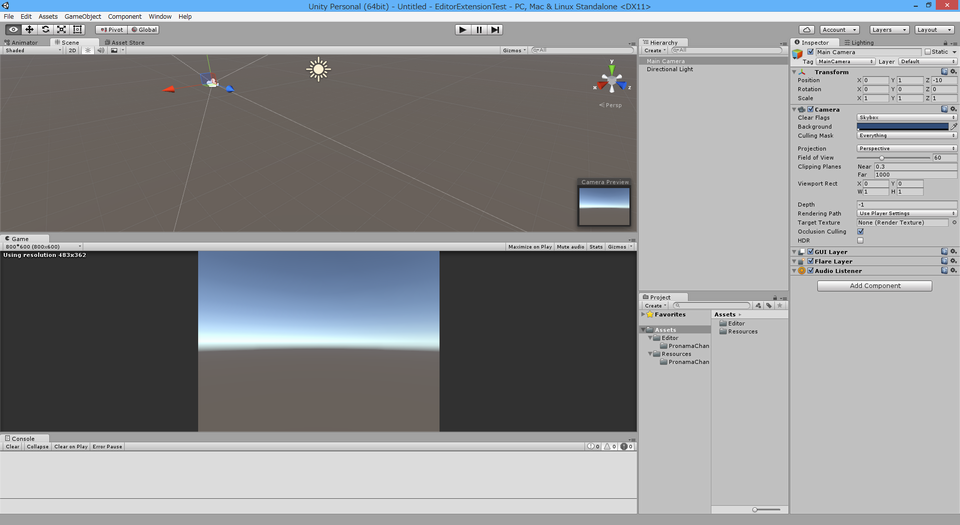
※レイアウトは好きに配置できるので、このとおりとは限りません。
この状態で黙々と作業するには、癒やしが無い。
ということでエディタ拡張機能で、プロ生ちゃんを表示させてみます。
画像はプロ生ちゃんサイトで公開されている素材からお借りします。
pronama.azurewebsites.net
今回はこれ。

任意の画像ファイルでよいですが、ファイル名はPronamaChan.png(※)にしてください。
※拡張子はjpgとかでも多分大丈夫
早速つくっていきます。
画像はResourcesフォルダに配置すると取得が簡単になるので、
Asstes直下にResourcesフォルダを作り、その下にさらにPronamaChanフォルダを作り、その中に上記のPronamaChan.pngを配置します。
こんな感じ。
Assets
└Resources
└PronamaChan
└PronamaChan.png
エディタ拡張スクリプトはEditorという名前のフォルダの下にPronamachanWindow.csという名前で作成してください。
配置はこんな感じ。
Assets
└Editor
└PronamaChan
└PronamachanWindow.cs
エディタ拡張スクリプトはEditorというフォルダの下であれば、どういう配置でも大丈夫です。
またEditorフォルダもAssetsフォルダ直下で無くても大丈夫です。
エディタ拡張のソースはこんな感じ。
using UnityEditor;
using UnityEngine;

public class PronamaChanWindow : EditorWindow
{
    private Texture2D _texture = null;

    [MenuItem("Window/PronamaChan")]
    private static void Open()
    {
        EditorWindow.GetWindow<PronamaChanWindow>("PronamaChan");
    }

    private void OnGUI()
    {
        if (this._texture == null)
        {
            this._texture = Resources.Load("PronamaChan/PronamaChan") as Texture2D;
        }
        else
        {
            //表示する画像のサイズ
            var textureWidth = (float)this._texture.width;
            var textureHeight = (float)this._texture.height;

            if (this.position.width < textureWidth
                    || this.position.height < textureHeight)
            {
                //現在のWindowサイズより画像のサイズが大きい時

                //縮小率を計算(縦横でより小さい方)
                var shrinkWidth = Mathf.Min(this.position.width / textureWidth, this.position.height / textureHeight);

                //画像のサイズを再設定
                textureWidth *= shrinkWidth;
                textureHeight *= shrinkWidth;

            }

            //画像をWindowの中央に表示するための位置決定
            var posX = (this.position.width - textureWidth) / 2;
            var posY = (this.position.height - textureHeight) / 2;

            //画像の表示
            EditorGUI.DrawPreviewTexture(new Rect(posX, posY, textureWidth, textureHeight), this._texture);
        }
    }
}
表示しているWindowのサイズより画像が大きい場合は、Windowサイズに合わせて画像を縮小表示します。
配置がうまく行っていれば、UnityEditorのWindowsメニューにPronamaChanというメニューが追加されていると思います。
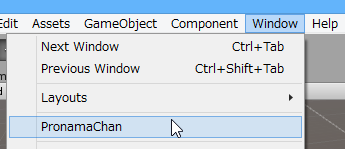
これをクリックすると、プロ生ちゃんの画像Windowが表示されます。

表示されない場合は配置やファイル名が間違っていないか確認してください。
このまま個別で表示したままでもいいですが、任意の場所にドッキングさせることも可能です。
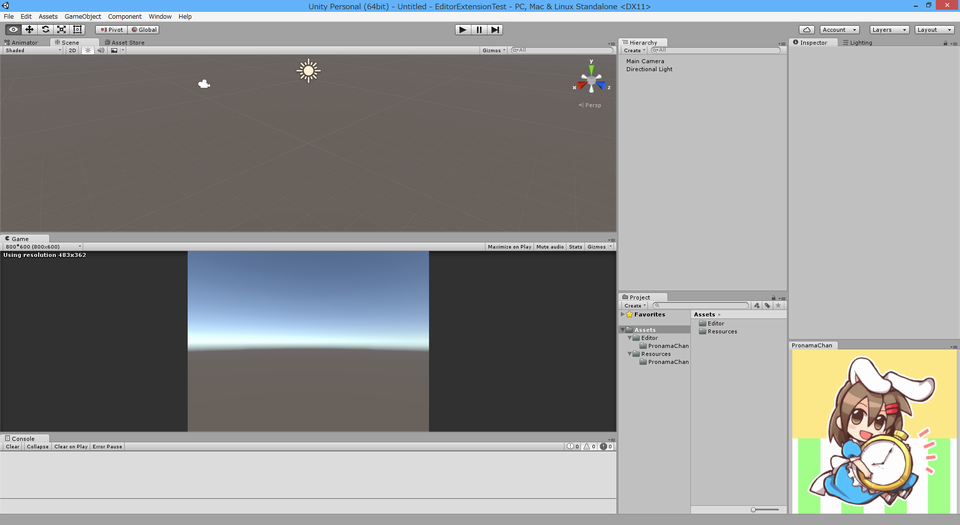
ベースは出来上がったので、これで物足りない人は現在時刻を表示させるようにしたり、日替わりで画像が変わるようにしたり、思い思いにソースを改造してみてください。
先日、別のアドベントカレンダーで結構すごいエディタ拡張が紹介されてましたね…
chroske.hatenablog.com
